
Best streaming stick & box 2024on February 19, 2024 at 16:04 Tech Advisor
Not all TVs have access to every streaming platform you need, and if you want to watch the likes of Netflix, BBC iPlayer, Amazon Prime Video and more, then it may be worth investing in a streaming stick or box. This is a little gadget that plugs into a HDMI socket at the back of your TV.
They go by many names – streaming sticks, streaming boxes, media players and more – but they all do the same thing. Plug into your TV via HDMI and connect to the internet so you watch a wealth of content. Many of them also have the ability to run other apps and even games.
With many devices costing under £50/$50, they are one of the best value smart home devices you can get. During sale seasons such as Amazon Prime Day and Black Friday, these products often receive huge discounts, too.
Here, we round up the best media players and streaming sticks and boxes we’ve reviewed, so you can access endless TV shows and films.
Best streaming stick and box 2024
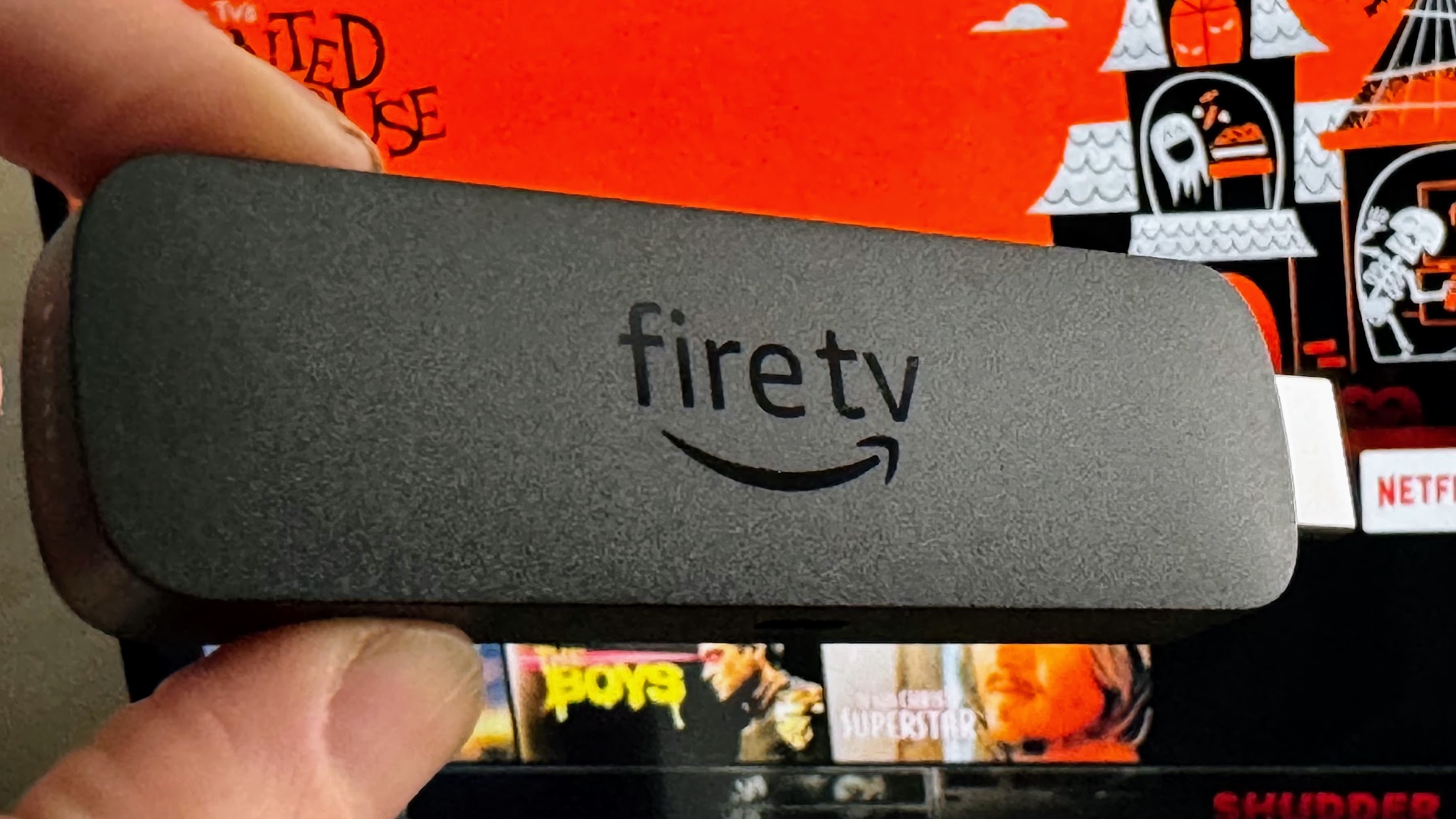
1. Amazon Fire TV Stick 4K Max (2nd gen) – Best overall
Pros
16GB of storage
All popular streaming services
Ambient Experience and generative AI
Cons
Still too much self-promotion
Voice Remote Pro would have been nice
Micro-USB power connector
Price When Reviewed:
£69.99
The 4K Max (2nd gen) is the best Amazon Fire TV Stick yet, with the most storage ever, the most powerful performance and a wide range of features.
It delivers 4K resolution at 60Hz, with support for Dolby Vision, Dolby Atmos and other HDR and surround-sound formats.
The Alexa Voice Remote Enhanced remote adds more buttons for more TV control, including a live TV key which is very useful for when live sports are airing. The Ambient Experience gives you a customisable screen saver with useful productivity widgets such as the weather and reminders. If you’re in the US, you can also take advantage of the generative AI features.
It doesn’t have hands-free Alexa like the more expensive Fire TV Cube, but at only £10/$10 more than the next model down, it’s still the best choice if you have a 4K TV. If you only have a 1080p panel, opt for the 3rd-gen Fire Stick.
There are ads on the home screen, and heavy promotion for Amazon-owned content from Prime Video and IMDb TV. But, with a well-stocked app store containing all popular streaming services, it’s easy to recommend.
Read our full
Amazon Fire TV Stick 4K Max (2nd Gen, 2023) review
2. Roku Streaming Stick 4K – Best Roku streamer
Pros
4K streaming for less
Smooth performance
Great remote
Cons
No HDMI extension cable
No headphone jack
Homepage not as detailed as Amazon’s
Price When Reviewed:
£49.99
The Streaming Stick 4K from Roku brings 4K streaming for an affordable price. The device has a lot going for it including an easy-to-use interface, smooth performance and a decent remote with controls for both the volume and power and voice support.
Roku also offers thousands of hours of free content with The Roku Channel, and a huge range of streaming apps such as Netflix and Disney+.
The Streaming Stick 4K doesn’t have a headphone jack directly on the remote, and the lack of an HDMI extension cable may make setting up a little tricky. However, it does have support for Dolby Vision and Dolby Atmos.
Amazon’s Fire TV Stick 4K Max still has the edge here due to a more tailored and comprehensive homepage. Roku needs to get better at suggesting content and making shows readily available without users having to go directly into apps.
Read our full
Roku Streaming Stick 4K review
3. Chromecast with Google TV – Best Chromecast
Pros
Slick interface
4K with wide HDR support
Google Assistant
Cons
Can’t switch users
No headphone jack on remote
Price When Reviewed:
£59.99
The Chromecast with Google TV is the firm’s best ever streamer. It’s now up there with the best from Amazon. Even if you’re not considering rivals, it’s worth upgrading from an older Chromecast – especially considering that this now has support for Dolby Atmos.
The remote control with Google Assistant and the excellent Google TV interface combine to create a great way to browse and discover content from a range of services and in 4K with wide HDR support, too.
In addition, the device now has support for Google Stadia, so you can use it for gaming as well as streaming.
Whilst the remote doesn’t have a headphone jack, you can connect Bluetooth earphones for private listening. You also can’t switch users on this device.
Read our full
Google Chromecast with Google TV review
4. Amazon Fire TV Stick (2021) – Great streamer with Alexa support
Pros
HDR & Dolby Atmos support
Broad range of apps
Alexa support
Cons
Lots of Amazon self promotion
Not much cheaper than the 4K Max
Price When Reviewed:
£39.99
The 3rd-gen Amazon Fire TV Stick is a great-value media streamer if your TV doesn’t have all the apps you need.
It has support for HDR10+ and Dolby Atmos content, and has an easy-to-use interface with a broad range of apps, including Twitch – which isn’t available on other rivals such as Roku. Of course, Amazon could do with toning down the self-promotion.
The inclusion of Alexa voice support, volume buttons and power buttons on the remote also give you much more control over your TV than the Fire Stick Lite. That said, there’s no 4K support, and the 4K Max Stick doesn’t cost much more.
Read our full
Amazon Fire TV Stick (2021) 3rd-gen review
5. Nvidia Shield TV (2019) – Best high-quality streaming
Pros
4K@60Hz HDR10 support
Dolby Atmos and Dolby Vision
Google Assistant
Cons
Expensive
Price When Reviewed:
£149
The Nvidia Shield TV offers the most complete media streamer experience on the market right now, although it’s not the cheapest gadget in our chart by a long shot.
It features 4K@60Hz playback, like its predecessor, but the new Shield TV takes things a step further with AI-based 4K upscaling that makes even 360p content look sharp and crisp. It’s not as good as native 4K content, but it’s certainly the next best thing.
Couple that with Dolby Atmos and Dolby Vision support across Netflix and Amazon Prime Video, Google Assistant support, access to AAA gaming via GeForce Now and a new triangular remote with backlit media keys and you’ve got a truly premium media streaming experience.
Read our full
Nvidia Shield TV (2019) review
6. Manhattan T3-R – Best for Freeview
Pros
Easy to use
Great selection of UK on-demand apps
PVR capabilities
Cons
No Netflix or Amazon Prime
Expensive
Limited access to 4K content
Price When Reviewed:
From £169.99
If you still primarily watch TV over streaming services, the Manhattan T3-R is a great option. It offers Freeview Play, complete with 85 channels (15 of which are HD), and you’ll also find catch-up apps from all the main UK broadcasters if you miss something on TV.
Boasting a 500GB or 1TB HDD, you’ve also got the option of pausing, rewinding or recording TV shows, with the ability to record two channels while watching a third simultaneously. And, most importantly, the software is simple, easy to use and stutter-free.
The only complaint? The lack of Netflix and Amazon Prime Video apps, meaning there’s a lack of 4K content beyond what’s available on YouTube and BBC iPlayer.
Read our full
Manhattan T3-R review
7. Amazon Fire TV Cube (3rd Gen) – Best smart speaker combo
Pros
Excellent, fast performance
HDMI passthrough
Doubles as an Echo Dot
Cons
Expensive
Ad-heavy software
Price When Reviewed:
£139.99
The 3rd-generation Fire TV Cube once again combines all the benefits of an Amazon streaming stick with an Echo Dot smart speaker, but this time with faster and slicker performance.
This media streamer supports 4K HDR video, HDR10+, Dolby Vision and Dolby Atmos, and is simple and easy to use thanks to Amazon’s interface. You have the option of hands-free control with your voice – you can also use your voice for all the usual smart speaker commands such as reminders, playing music, asking questions etc.
This is one of the pricier media streamers on the market though, so only consider it if you really want an Echo Dot as well as a streaming stick. You’ll also have to put up with Amazon’s tendency to including lots of ads on its OS.
Read our full
Amazon Fire TV Cube (3rd Gen) review
8. Walmart Onn 4K Streaming Box (2023) – Best budget buy
Pros
Feature-rich remote
Google TV software makes sense of streaming
Super cheap even without sale prices
Cons
Performance can drag on occasion
No Dolby Vision or Dolby Atmos support
Google TV guide still has some blind spots
Price When Reviewed:
Not available in the UK
US readers can get an excellent Google TV Streaming Box for less than $20 from Walmart, undercutting competition from the likes of Amazon and Roku (outside of major sale seasons, that is).
The Walmart Onn 4K Google TV Streaming Box comes with a great remote, with many shortcuts for apps and settings, as well as support for voice control. The TV OS is simple to navigate, and includes an abundance of apps.
Of course, at this price there are sacrifices. Whilst you get 4K quality, there is no Dolby Vision or Dolby Atmos support. In addition, apps are slow to load, meaning performance isn’t as snappy as what you’ll find on premium models. Nonetheless, if you’re on a budget, this is one streaming stick to consider.
Read our full
Walmart Onn 4K Google TV Streaming Box (2023 model) review
9. Sky Stream – Best for Sky TV fans
Pros
Compact box
Slick setup & interface
No dish needed
Nice remote control
Cons
Can get expensive
No hard drive for recordings
Delay vs Sky Q
Price When Reviewed:
From £26 per month
The Sky Stream is a bit different to other media sticks, in that it requires a monthly subscription to access the Sky channels it offers. If that’s what you’re after, then this is a great way of getting premium entertainment without forking out for a whole new TV or installing a satellite dish.
Sky Stream provides up to 4K Ultra HD content with HDR support, as well as Dolby Atmos. Navigation on the interface is simple, with rails for various collections, and the ability to pick up where you left off watching on a number of apps such as Netflix and BBC iPlayer.
However, the monthly costs can add up. A basic subscription only includes Sky Entertainment, Netflix Basic and content capped at HD. If you want 4K streaming, a better Netflix plan and things such as Sky Cinema or Sky Sports, this will all cost extra. You also can’t record content onto a physical hard drive as you can with Sky Q.
If you’re happy with those compromises, then this is the most flexible way to get Sky – with monthly rolling options available.
Read our full
Sky Stream review
10. Roku Streambar – A great all-in-one entertainment package
Pros
User-friendly interface
Decent sound
Huge range of content
Cons
Older TVs without HDMI-ARC/Toslink not supported
Expensive
Price When Reviewed:
£129.99
If you like the sound of the Roku system with its roster of catch-up TV and streaming apps, games and high-end features like AirPlay 2 support, and also want to upgrade your TV audio system at the same time, the Roku Streambar is a capable and budget-friendly option.
Offering the capabilities similar to that of the Roku Streaming Stick+, including 4K HDR support, it’s a fully-fledged Roku streamer embedded within a great-sounding, compact soundbar that’ll sit in front of your TV. It’s a huge upgrade over your TV’s built-in speakers and, with AirPlay support, it’s a particularly great buy for Apple users.
However, it is at the high end when it comes to streaming boxes.
Read our full
Roku Streambar review
Buying advice for a streaming stick or streaming box
What is the purpose of a streaming stick or box?
Even if you have a so-called ‘smart TV’, it’s likely to offer an inferior experience – not to mention a deficit in content – compared to the media streamers we’ve reviewed here.
The content available through each streamer is the most important factor for a lot of people. This is why it’s crucial to check that the services you want are available. It’s rare for one device to offer everything, but many have a wide range, with hundreds or even thousands of apps to choose from. Amazon-owned app Twitch isn’t available on devices such as Roku, for example.
What is the difference between a streaming stick and a streaming box?
The difference here is minimal but a stick is what you’d imagine; a stick-like device that plugs directly into your TV. Designs have changed a little over time so some, like the Fire Stick, have a small cable and tend to be called dongles.
Streaming boxes are, well, boxes and they tend to sit underneath your TV and then connect via an HDMI cable.
There are no huge benefits to either unless you have a wall-mounted TV and have nowhere to sit a box. In this case, get a stick so it can be hidden behind your set.
What are the key specs and features to look out for?
When buying a streaming device, check it has the specs and features you need. Not all support 4K Ultra HD resolution output and you’ll also want to check for HDR for a more vibrant picture.
The design of the remote is also something to consider. Some have the ability to control your TV (normally power and volume) and might even have a headphone jack so you can easily listen privately. Others might support voice search via Alexa or Google Assistant.
In short, as long as you have a HDMI port, a streaming stick should work on any TV.
Can you game on a streaming stick or box?
Gaming is a bonus feature on some media streamers. You can play casual games such as Tetris on Roku and Amazon devices, or opt for the Nvidia Shield TV for something a little more console-esque. You can even buy optional gamepads for some if you’re serious about wanting to play like that.
Google Stadia is one of the most popular options for cloud gaming, which you can get directly on Chromecast.
Do Roku devices have YouTube?
Yes – Roku was set to lose YouTube on 9 December 2021. However, a last-minute deal between Roku and Google reversed these plans and ensured that the YouTube app will remain on Roku streaming sticks and boxes for at least a few years.
In addition, the new deal reinstated YouTube TV back onto Roku devices – this app had been gone since April 2021. The inclusion of the YouTube app on Roku devices has now been reflected in the order of our chart.
Streaming Media