
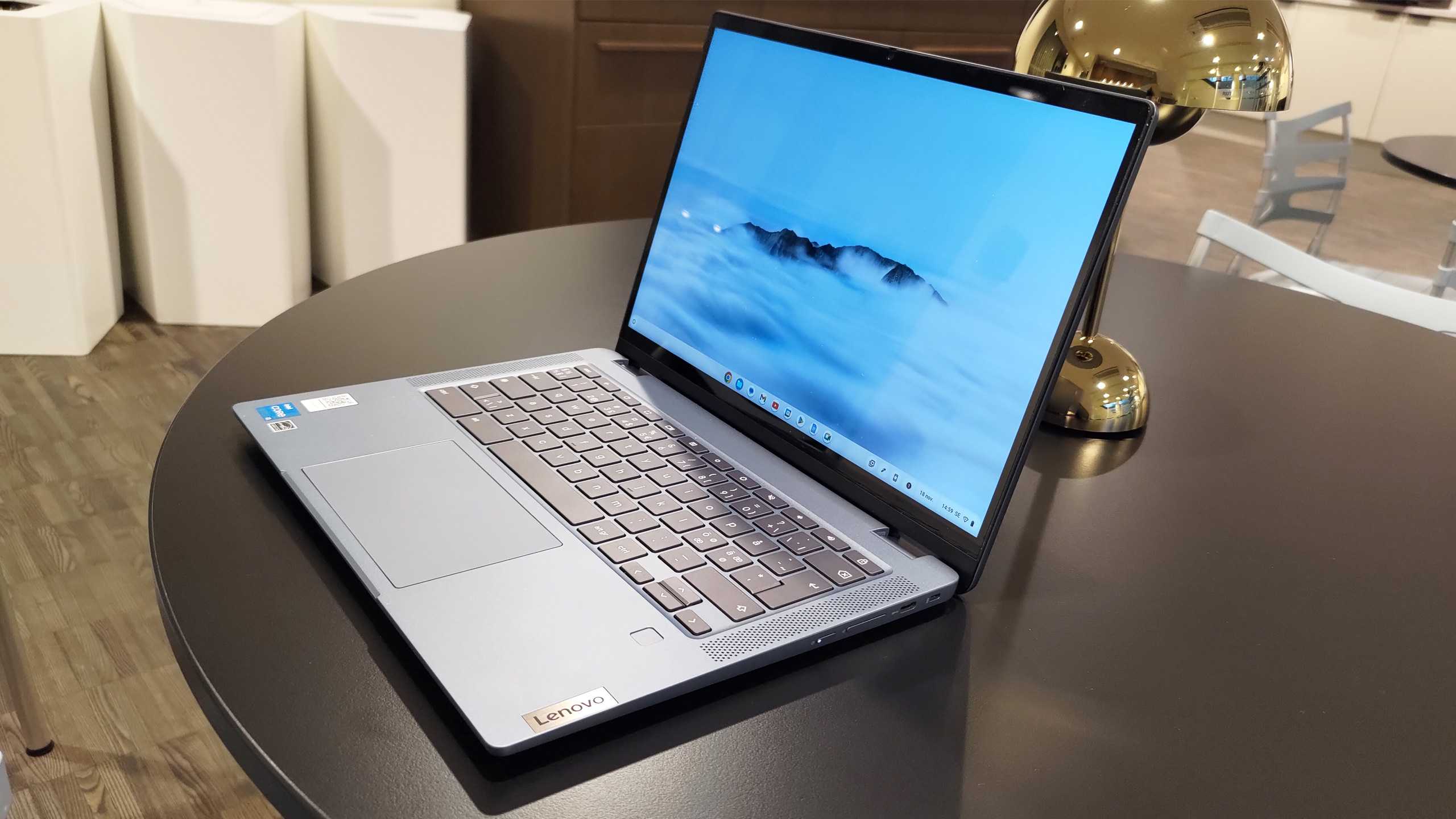
The best Chromebooks 2024on February 8, 2024 at 15:24 Tech Advisor
Google’s laptop-focussed operating system launched over a decade ago and ChromeOS has come a long way since then. Chromebooks are well-known for their ease of use and value for money and we’ve tested the best ones you can buy.
It’s important to be aware of the limitations of ChromeOS compared to Windows and macOS, namely its relatively limited support for third-party apps. It’s also heavily reliant on the internet and cloud storage, even if you can use them offline.
But if you just need a laptop for general everyday tasks, a Chromebook could be for you. And with most Chromebooks getting around eight years of software updates, you shouldn’t rule out some of the older models.
In this article, we’ve reviewed and ranked some of the very best Chromebooks, including from established brands such as Asus, Acer, Lenovo and HP. There’s also detailed buying advice in the FAQ section at the bottom of the page.
Chromebooks are also included in our budget laptop chart, while the main laptop guide features more premium devices. But if you’re set on Chrome OS, you’ve come to the right place.
Best Chromebook 2024
1. Lenovo Chromebook Plus IdeaPad Flex 5 – Best Overall
Pros
Good performance
High build quality
Excellent touchscreen with stylus
Lots of storage
Cons
Mediocre stylus performance
Weak sound volume
Middling battery life
Price When Reviewed:
From £499
Lenovo is back at the top of the pile when it comes to Chromebooks thanks to the excellent Ideapad Flex 5. It might not be perfect but no laptop is for this price.
In short, this is a well-built, modern and complete Chromebook that delivers a lot of functionality for the money. With the right hardware, it lets you take advantage of all the possibilities of the platform in an excellent way.
Part of the Chromebook Plus initiative, the Flex 5 has a lot going for it including a compact and well-made design, 256GB storage, a good selection of ports, the necessary 1080p webcam and that notorious hinge giving you lots of different modes to work with.
Read our full
Lenovo Chromebook Plus IdeaPad Flex 5 review
2. Acer Chromebook Plus 515 – Best Runner Up
Pros
Good audio quality
Zippy performance
1080p webcam
Nice typing experience
Cons
Average battery life for a Chromebook
Blah design
Price When Reviewed:
From £399.99
Part of the Chromebook Plus movement, the latest 515 model from Acer is a great buy for many reasons.
Sure it’s a snooze-fest when it comes to design so go for something more flashy if that’s important to you and the battery life is nothing special.
However, it is a reliable daily performer overall and that’s what matters most here. At 13 hours of juice, it will be plenty for most users and it also has strong performance, good audio, a solid keyboard and a 1080p webcam.
Read our full
Acer Chromebook Plus 515 review
3. Acer Chromebook 516 GE – Best for Gaming
Pros
Great performance
Excellent 16in display
Good port selection
Cons
Mediocre audio
Underwhelming battery life
Best AAA gaming experience requires subscription
Price When Reviewed:
£849.99
Chromebooks were never traditionally designed for gaming, but Acer is one of the companies trying to change that. The 516 GE is a very impressive first attempt, combining a premium design with great performance and genuine AAA gaming.
But with only integrated Intel graphics alongside the 12th-gen processors, the latter relies on streaming games via Nvidia GeForce Now instead. Provided your internet connection is solid, the experience here is truly compelling.
With a good range of ports, impressive RGB keyboard and stunning 120Hz display, Acer is on to a winner here.
The 516 GE more expensive than many Chromebooks, but it undoubtedly justifies the extra expense.
Read our full
Acer Chromebook 516 GE review
4. Asus Chromebook CM34 Flip – Best Battery Life
Pros
Incredible battery life
Great display
Impressive 1080p webcam
Nice trackpad
Cons
Average performance
Poor outdoor visibility
Relatively heavy
Price When Reviewed:
£499
If battery life is your top priority, look no further than the CM34 Flip.
The 60Wh cell lasted an incredible 19 hours in our benchmark, which cycles between various real-world tasks. Depending on what you’re doing, you might be able to get two full day’s on a single charge.
Combine that with an impressive Full HD webcam, crisp 14in (1920×1200) touchscreen and that all-important 360° hinge, and Asus is onto a winner. Even the ports, keyboard and trackpad are good.
However, the CM34 Flip is held back slightly in terms of performance, even if it’s still fine for everyday tasks. And at 1.85kg, it’s certainly not the lightest Chromebook around.
But if you plan on spending a long time away from a power source, there’s no better Chromebook right now.
Read our full
Asus Chromebook CM34 Flip review
5. Acer Chromebook Vero 514 – Best Design
Pros
Durable, eco-friendly design
Solid performance
Good port selection
Great webcam
Cons
Underwhelming display
Unreliable trackpad
No fingerprint or face unlock
Price When Reviewed:
From £499 | Model reviewed £799.99
In a world where so many Chromebooks (and other laptops) look similar, the Vero 514 truly stands out. Recycled plastic can be found in the chassis, keycaps, and speakers, while all the packaging can be recycled too.
Deciding against using paint results in a unique speckled grey design, which looks good but also feels impressively durable. Combined with great performance from 12th-gen Intel CPUs and an excellent Full HD webcam, Acer is on to a winner here. There’s also a solid port selection, even if there looks to be space for a second USB-A slot.
But it’s not all good news. Below the impressive keyboard is an erratic trackpad that often has a mind of its own, while the matte display means content often looks dull and washed out, even if it is much less reflective than the usual glossy alternative. You’ll also have to get used to typing in a PIN or password, with no fingerprint sensor or face unlock available.
Whether these are dealbreakers will be up to you. But the Vero 514 is strong in so many other areas that it’s definitely worth considering.
Read our full
Acer Chromebook Vero 514 review
6. Lenovo IdeaPad 5 Gaming Chromebook – Best for Cloud Gaming
Pros
Excellent battery life
Great cloud gaming performance
Good connectivity
Solid display
Cons
Cheap design
Not the best keyboard and trackpad
Underwhelming webcam
Price When Reviewed:
£799.99
As the name suggests, this version of the IdeaPad 5 is designed for gaming. Specifically, cloud gaming, where all the most popular services are supported and run well.
That’s due to some impressive performance specs, but also great connectivity options. Wi-Fi 6E and Bluetooth 5.1 support are joined by a healthy port selection, with HDMI the only real thing missing.
The 16in, 120Hz display looks good in a range of situations, although arguably battery life is the highlight. It’ll last a full day of general use or several hours of gaming on a single charge, beating nearly all Windows gaming laptops.
A muted design means you can use it for either, but this cheap plastic build is one reason you might want to avoid it. They keyboard, trackpad and webcam could also be improved, while it’s much better value in the US than the UK.
But if you can live with a few compromises and battery life is a priority, the IdeaPad 5 Gaming Chromebook is a great choice.
Read our full
Lenovo IdeaPad 5 Gaming Chromebook review
7. Asus Chromebook Flip CX5 – Best Performance
Pros
Large display
Good battery life
Fast performance
Cons
Dim display
Rough edges on faceplate
Cramped numberpad
Price When Reviewed:
From £649.99
With unusually powerful components for a Chromebook, around Intel Core i3 and i5 processors along with 8GB of RAM, the Flip CX5 is one of the most powerful around.
This ensures smooth performance day-to-day and along with a large screen and solid battery life from a single charge, the CX5 is a great option. Add in the convertible design and it gets even better.
A dedicated numpad might be a boon for some although it is cramped in size and the display is lacking brightness stopping the CX5 from being a knockout package. It also has some build issues worth considering before hitting the buy button.
Read our full
Asus Chromebook Flip CX5 (CX5500) review
8. Lenovo Thinkpad C13 Yoga – Best Build
Pros
Excellent build quality
Great keyboard
Stylus Included
Cons
Patchy performance
Poor battery life
Average cameras
Price When Reviewed:
From £609.99 | Model reviewed £619.99
If you want a well-made and hard-wearing Chromebook then this ThinkPad from Lenovo will not disappoint, living up to the famous name.
This applies not only to durability but also elements like the keyboard and the Yoga part means it’s convertible, too. Furthermore, the stylus – which neatly slots into the laptop itself – will be very useful for some users.
On the flip side, the battery life is poorer than you’d expect for a ThinkPad, we experienced gaming issues and the cameras are pretty average, too.
Read our full
Lenovo Thinkpad C13 Yoga Chromebook review
9. Asus Chromebook C423NA – Best Value
Pros
Inexpensive
Attractive design
Good keyboard
Cons
Sub-standard battery life
Slightly underpowered
Price When Reviewed:
£319.99
The C423NA is another classic Chromebook from Asus, providing you with a laptop to carry out day-to-day tasks at low cost. It looks nice, is highly portable and offers a comfortable keyboard and trackpad.
It won’t be able to cope with much beyond basic tasks and the battery life is limited making it more suitable for around the home rather than on the road.
If you want a quality Chromebook that’s more affordable than the Pixelbook Go, the C423NA is a good option.
Read our full
Asus C423NA Chromebook review
FAQ
Do Chromebooks run Android apps?
This is one of the big reasons to buy a Chromebook. All modern Chrome OS devices are capable of running Android apps, making it easy to use a specific phone app or play mobile games on your laptop. It also makes it easy to share data between devices.
However, if you’re looking at an older model, it’s worth checking whether it supports them on not before buying.
Can Chromebooks run Microsoft Office apps?
The most significant limitation of a Chromebook is that it can’t run some of the Windows software you might be used to. Full versions of Microsoft Office apps won’t run on a Chromebook, although you can use the web-based suite and Android apps.
But the free Google Workspace apps are a very good alternative, with the likes of Docs (Word), Sheets (Excel) and Slides (PowerPoint) offer everything most people are looking for.
For the alternatives to other popular software, see the Q&A section on the Chromebook website.
What specs should I look for in a Chromebook?
There are more premium Chromebooks than ever before, but that’s not what you’ll find on most Chrome OS devices.
Instead, you’ll need to get used to smaller displays and relying on cloud storage rather than storing most files locally. Google offers 100GB of Drive storage with every machine and a range of other perks with every Chromebook bought.
But entry-level processors are likely to hold you back unless you only need a Chromebook for the absolute basics. Look for a device running an Intel Core i3 or AMD Ryzen 3 CPU or higher, and check how recently it was released. In terms of RAM, 8GB is a good baseline to aim for.
When it comes to display, look for a Full HD (1920×1080) or higher resolution and IPS LCD panels. OLED is nice to have, but rare on Chromebooks.
These days, you can find displays ranging from 10-16in. Some offer touchscreens and 360° hinges, which allow the keyboard to be folded out of the way and it used like a tablet. But there are also a growing number of ChromeOS tablets with detachable keyboards.
Battery life is also crucial, but don’t pay too much attention to the capacity itself. Instead, look for how much usage you can expect to get from a single charge. If the manufacturer doesn’t say, read reviews to understand other people’s experience with it.
Budget Laptops, Chromebooks, Laptops