
Do you need antivirus for iPhone?on October 25, 2023 at 14:41 Tech Advisor
Let’s start with the short, simple answer. No, iPhones and iPads don’t need antivirus software. But hold on: before you click or swipe away, there is a longer version of the answer: no… but yes.
Allow us a minute to explain why.
Apple designed the iPhone’s software (iOS) in such a way that it is very difficult for malware, including viruses, to penetrate its defences. This is a good thing, of course, and it means you don’t need to install an antivirus app, and the the same is true for your iPads too.
You definitely should consider installing a security app, though. Antivirus is only one type of the many threats that exist today.
Scammers, cybercriminals – call them what you want – know that it’s extremely difficult to write a virus that will compromise your iPhone. They also know that it’s far easier to trick you into handing over your password, ID information and payment details which, ultimately, is what they really want.
And this is why there are so many text scams, fake websites and dodgy links on social media. They’re becoming ever-more sophisticated, but modern mobile security software can help to protect you – and that’s why you really do need an ‘antivirus’ app on your iPhone or iPad.
They might not actually combat viruses, but they still offer layers of extra protection that could turn out to be extremely valuable.
Much of the time, these apps are protecting you from yourself! For example, do you use the same password and email address to log into lots of different websites? Millions do, but it is a massive security risk. Imagine that just one of those sites got hacked and it hadn’t encrypted its users’ passwords. Yours, along with others, would be available to the highest bidder.
What would then happen is what’s called credential stuffing: automated software tries those hacked email address and password combinations in a bunch of other websites to see if they work.
Anyone who uses the same password and email across multiple sites is potentially giving hackers access to a variety of accounts – maybe even bank accounts. Failing that, it could be another website where you’ve stored your payment details.
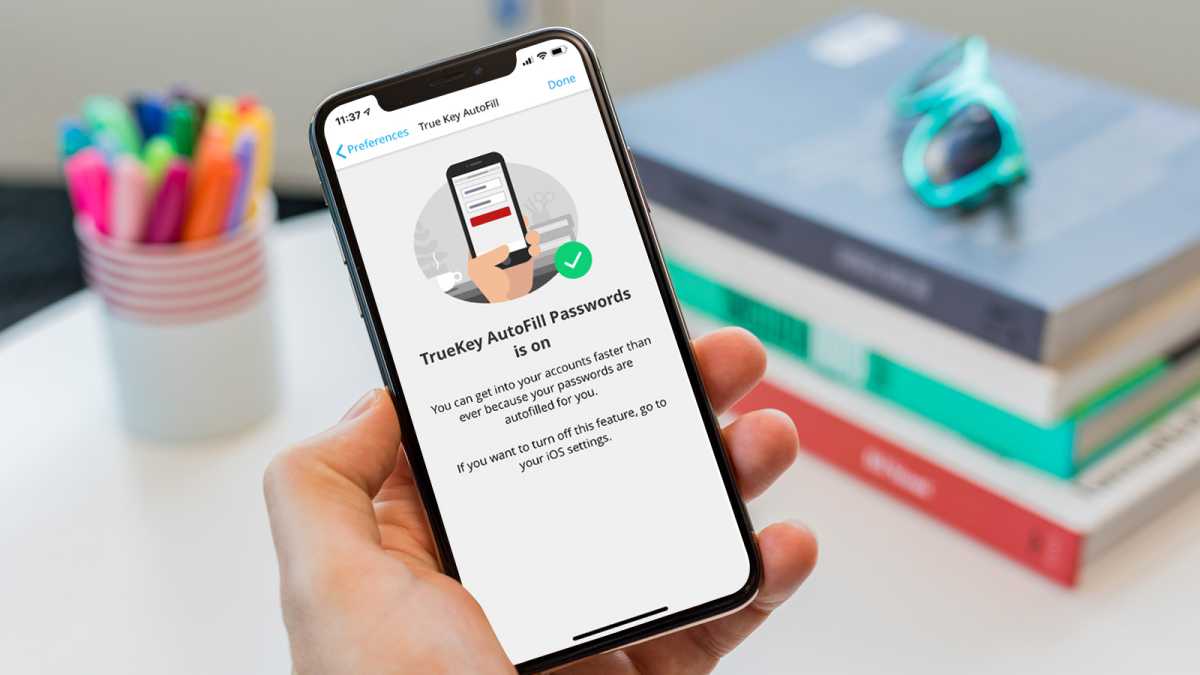
Installing a good quality security app on your iPhone can avoid this situation by remembering separate passwords for each of your accounts, and entering them automatically whenever you need to log in.
Ah, but iPhones do this anyway you say. Yes, but iCloud Keychain won’t sync those logins to your Windows laptop or any other non-Apple device you use. And that’s why a cross-platform password manager is such a useful tool.
Dominik Tomaszewski / Foundry
Here are some of the other things that security apps can do on an iPhone and iPad:
Warn you of potentially fake websites that might try to steal sensitive information
Warn you of dangerous links in messages and emails
Increase your privacy online by using a VPN like NordVPN.
Protect your identity by giving you early warning if any of your personal info is found on the dark web (or, indeed, the normal web)
Protect your photos and videos so only you can access them
It might still be called antivirus software, but even though it doesn’t block viruses on an iPhone, it’s still a very good idea to use it on yours.
FAQ
What’s the best antivirus for iPhone?
First, try not to call them antivirus apps. They’re security apps which add various protections on top of iOS. Avast One will be the most tempting to most people as it’s free to use. Some features are either limited or locked away until you pay for it (read our Avast review if you want to know the details), but the free version still offers a lot for nothing. A subscription to Norton can be purchased for just one iOS device, but it’s better value if you go for Norton 360 Deluxe which covers any five of your devices.
McAfee Security works in exactly the same way and requires a subscription to at least one device. But again, opting for a subscription to McAfee’s Total Protection (which covers five or 10 devices) works out cheaper per device.
Can an iPhone get a virus?
Technically, yes. But the chances of an infection is extremely slim, unless you’ve jailbroken your iPhone. If you don’t know what that means, don’t worry: your iPhone is safe. For a much more in-depth answer, go to our sister site, Macworld.
How secure is an iPhone?
Generally speaking, very secure. The biggest risk is you. If you fall for a scam asking for money and transfer funds from your account to the scammer, the security built into your iPhone isn’t much use. That’s why we still recommend installing security software which can warn you about dangerous messages and links.
Do iPads need antivirus?
Yes, for exactly the same reasons an iPhone needs it. It won’t actually monitor for or block viruses, but there are so many other threats that it can protect you from that it’s well worth installing one of the apps we’ve recommended here.
What can I do to keep my iPhone secure?
Besides installing a reputable security app, keep it updated. Any potential vulnerabilities in iOS are usually fixed in the latest software update. This is one reason why you shouldn’t ignore the reminders that a new version of iOS is available.
It’s worth noting that Android phones can get viruses, so you have both an iPhone and Android, you should install an antivirus app on your Android phone as soon as possible. Here are the best antivirus apps for Android.
Most security apps, and certainly the three mentioned here, work across iPhone, iPad, Android, Windows and macOS, so it makes sense to install the same one on all your devices for convenience, as well as because it’s always the cheapest way to protect them. See our roundup of the best antivirus software for more recommendations.
And if you’re worried about apps using your device’s camera or microphone to spy on you, then remember that all apps must ask your permission to access the camera, microphone, your contacts, photos and other things.
So only tap ‘Allow’ when first prompted if you are sure you trust the app. And make sure you read carefully what an app is asking permission for when there’s a longer list.
You should also follow the usual security advice that applies regardless of the device you’re using: don’t tap on links in emails unless you’re sure they’re from a genuine sender, don’t give out your bank details or password unless you’re absolutely sure it is safe and use an encrypted messaging service such as WhatsApp and iMessage if you ever have to share sensitive details like these with a friend or family member.
Related stories for further reading
VPN vs antivirus: do you need both?
What is a VPN and why you need one
Best VPN services (plus free options)
Antivirus, iPad, iPhone, Personal Software, Security Software and Services